Journal
That extra plugin is someone else's code running on your site
That extra plugin is someone else's code, and if the updates stop, your site is left exposed. Here is what website plugin risk looks like, and what changes with VYSTO.
It's late on a Tuesday, and Ben is installing one more plugin on his website. He has never thought much about website plugin risk. He just wants a quote form for his landscaping business, and the plugin promises one in five minutes.
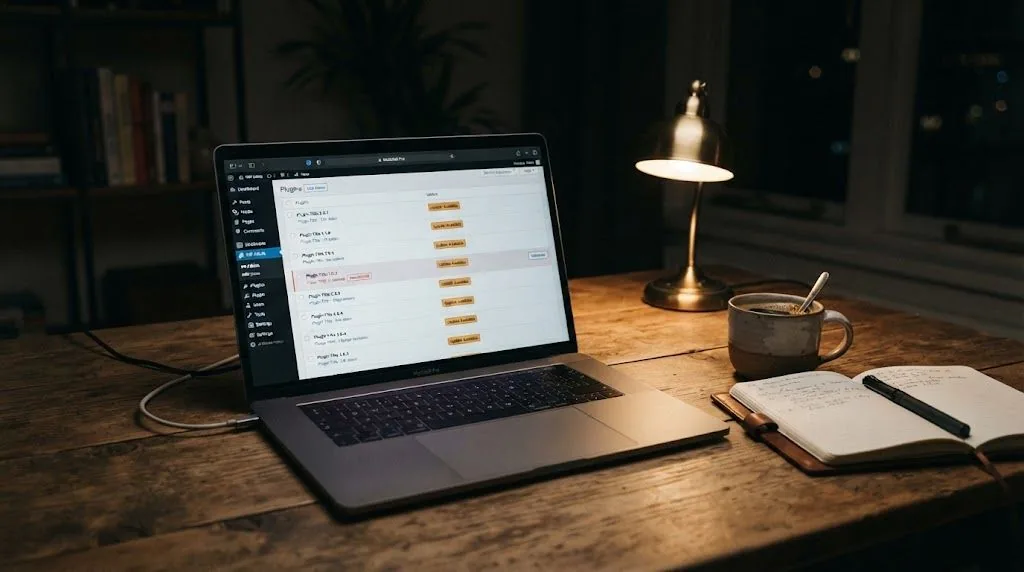
The form works. Then he opens his plugins page and scrolls. A slider he added three years ago. A backup tool. An old contact form he replaced but never removed. Two of them have an update waiting. One hasn't been updated in a long time.
He sits back and wonders who wrote all of this, and what else is running on his site.
If any of that sounds familiar, this post is for you.
That extra plugin is someone else's code
Every plugin solves one small problem. A form. A banner. A gallery. Each one also brings in a program that another person wrote, updated on a schedule another person decides.
When the people behind a plugin keep updating it, you still have to install those updates and check that nothing broke. When they stop, because they ran out of time or the company behind it closed, the plugin stays on your site anyway. If the updates stop, your site is left exposed.
What website plugin risk looks like on your site
It rarely looks dramatic. It looks like a list of notices you mean to get to. If your site runs on WordPress, you know the rhythm: the plugins, the PHP version and WordPress itself, each asking for attention on its own timeline. And the update you keep postponing, because the last one broke something.
Think of it this way: hackers do not go after your homepage first. They go after the plugin. Every extra piece of outside code is one more door to keep locked, and you are the one holding the keys.
For Ben, the worry isn't one plugin. It's the feeling that his site runs on code he doesn't know, kept up by people he has never met.
A site that doesn't lean on someone else's plugins
VYSTO starts from a different place. A VYSTO site doesn't depend on that layer of third-party plugins, so there is no stack of other people's code waiting for you to update it.
Six product agents run on every VYSTO site.
And when you want to change something, you don't go looking for another plugin. You tell the AI you already use what to change, and VYSTO makes it happen. You review the change, and you publish it.
Ben's Tuesday night, on VYSTO
Picture the same Tuesday night on a VYSTO site. Ben wants a quote form. He asks his AI for it, reviews the change and publishes it. There is no new plugin to install, and no list to scroll through afterwards, wondering who wrote what.
Whose code is running on your site?
How many plugins are running on your site right now, and who is keeping each one up to date?
Join the waitlist. We are in private beta today. We are opening the invitation only release in January, with a full release later in 2027.